
Barcode Inventory App for Fast Item Tracking
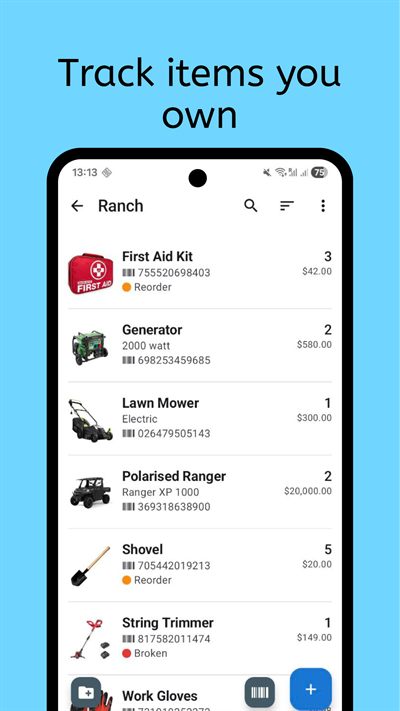
Collection & Inventory Tracker helps you scan barcodes, create item records quickly, and organize inventory with your own fields for location, quantity, condition, and notes.
It supports QR, UPC, and EAN codes, so you can move from item intake to a clean, usable inventory with less manual typing.
Who it is for
Barcode-based inventory is ideal for people who manage large item counts and want consistent data entry speed. It is useful for collectors with boxed products, households organizing equipment, and small teams tracking shared assets that move between storage locations.
If your current process relies on manual forms, barcode intake can reduce friction immediately. You can capture identifiers quickly, then add structure through tags, folders, or custom fields. That balance keeps your inventory both fast to build and useful for future search.
It also helps when items are handled by multiple people. A standardized scan-and-edit process keeps records consistent, even when contributors have different naming habits or data-entry styles.
What to track
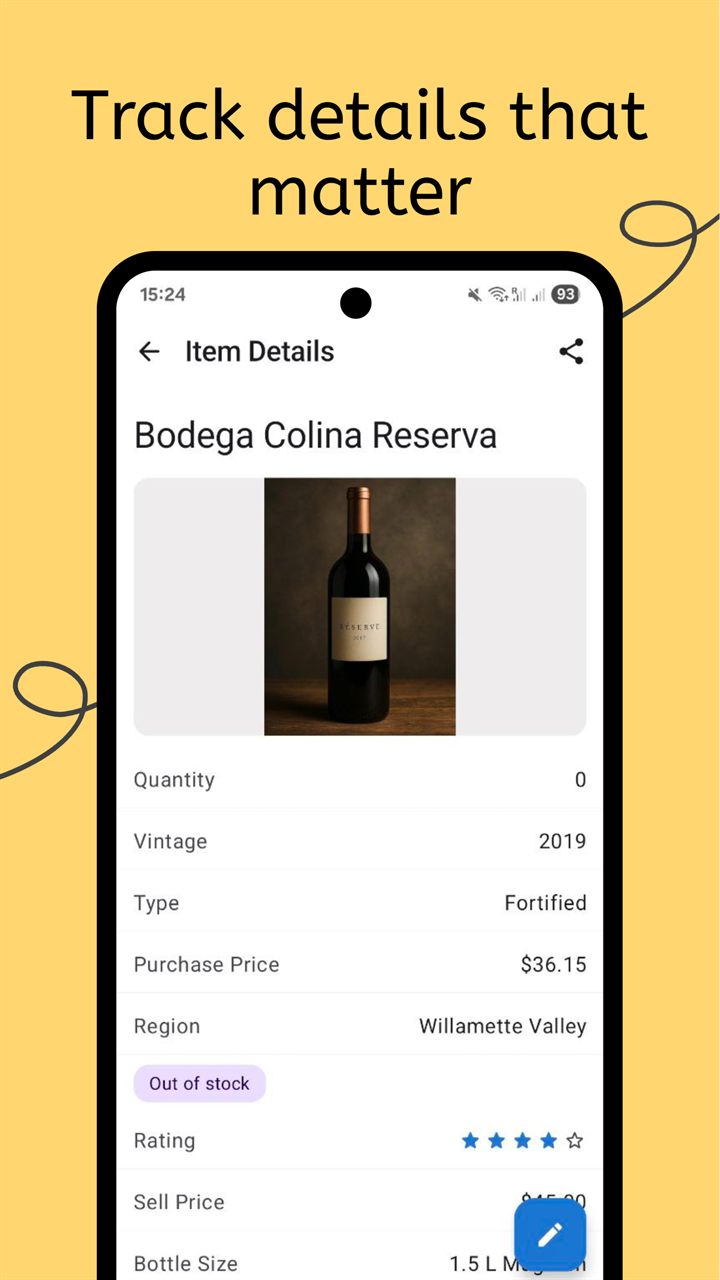
Barcode capture is only the first step. The value comes from combining identifier data with business or household context, so each record answers practical questions later.
- Item identifiers: barcode value, code type, and optional external lookup details.
- Location and ownership: room, shelf, box, user, or team assignment fields.
- Quantity and status: in stock, borrowed, low stock, archived, or inactive states.
- Condition and notes: photos, issues, maintenance reminders, and freeform annotations.
- Category metadata: tags for product type, collection, department, or cost center.
- Bulk-edit readiness: shared fields that make mass updates reliable and safe.
With custom fields, the same scanner flow can support home inventory, pantry stock, media catalogs, or hobby collections. You are not locked into a single rigid schema.
How the workflow works
A strong barcode process depends on predictable steps and short review loops. The app supports a repeatable pattern that scales from a few items to very large inventories.
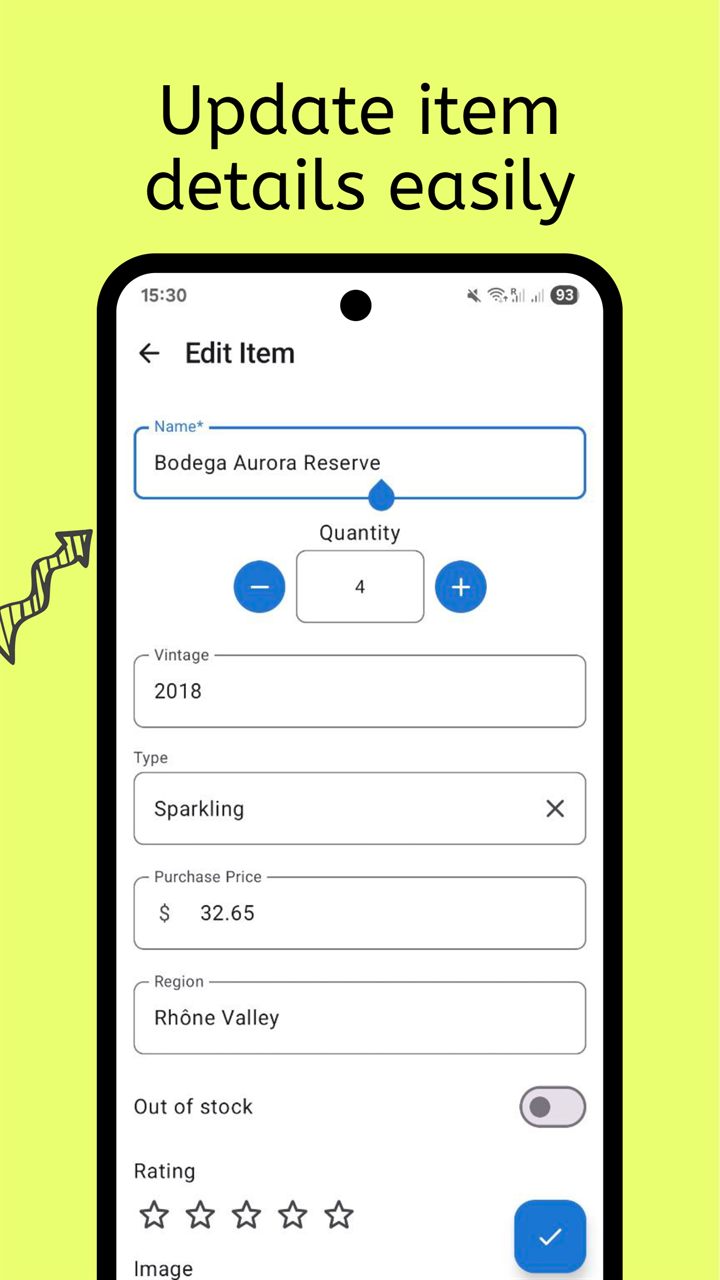
- Start a collection with required core fields such as name, location, quantity, and status so every scanned item has usable baseline data.
- Scan each item, review lookup suggestions, and keep only the values that are accurate for your own inventory context.
- Use bulk edit to normalize common attributes and then filter for missing fields before you close the intake session.
This approach lets you maintain speed without sacrificing data quality. You get quick scanning up front and controlled structure before records become permanent parts of your catalog.
Over time, inventory audits become faster because each record already includes code, location, and condition context. You can search by barcode directly or use tags to group related products during maintenance reviews.
Frequently Asked Questions
Which barcode formats are supported?
The app supports common formats including QR, UPC, and EAN so you can scan most retail and packaged inventory items.
Can I edit item details after barcode lookup?
Yes. Lookup is only a starting point. You can change names, categories, quantities, and any custom field before saving.
Does this help with large imports?
Yes. Scan-driven intake plus bulk edit is designed for high-volume cataloging sessions where consistency and speed are both important.
Related collection pages
Combine barcode intake with the related product pages to build a complete inventory system.
Start scanning with the Barcode Inventory App
Add items quickly, keep records structured, and build an inventory you can trust.